
Video is no longer just nice to have in marketing. It is the main event. Short videos dominate feeds, drive engagement, and often outperform images and text combined. This is why social media editing and social media video editing have become essential skills for brands and creators alike. Whether it is Instagram Reels, TikTok, YouTube Shorts, or LinkedIn video posts, strong video editing for social media helps content stand out faster.
MP4 has become the go-to video format for social media. It is lightweight, high-quality, and supported by almost every platform. Luckily, you do not need to be a professional social media video editor to get results. With the right edit process and a few basic principles, anyone can edit MP4 video content that looks polished and performs well. Let us show you how to edit videos for social media step by step.
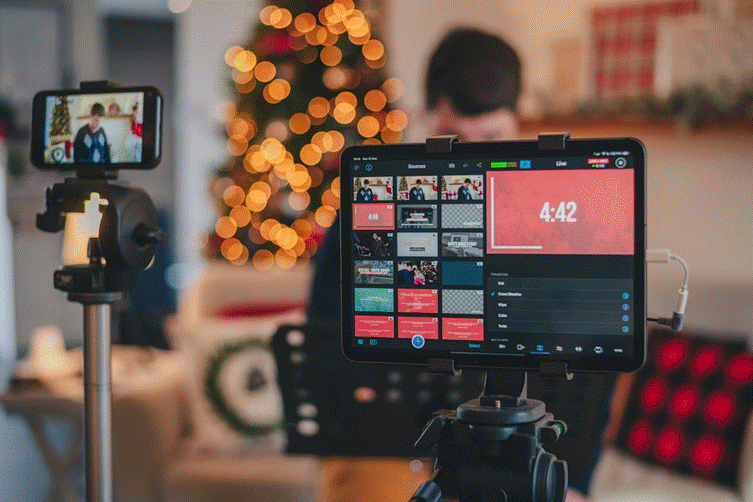
Good editing videos for social media starts long before you open an editor. Preparation saves time, reduces frustration, and improves results. First, gather everything you need. This includes footage you shoot video with, screen recordings, voiceovers, music, logos, and images. Keep all files organized in one folder so your workflow stays clean.
Next, define the goal of your video. Are you educating, promoting, or entertaining? People scroll fast. So, clarity matters. Planning ahead helps you decide what to keep and what to cut. A simple structure works best:
If you want to plan videos quickly, even a short outline makes a huge difference. Finally, check video quality early. Vertical formats work best for most platforms. Fixing mistakes later is always harder.
Once everything is ready, it is time to open your MP4 editor. You can use a paid tool or a free MP4 editor, depending on your needs. What matters is understanding the basics. Trim your clips first. Remove pauses, mistakes, and filler. Social media content should feel intentional. If a clip does not add value, cut it. Then arrange clips into a clear sequence. This is also where merging multiple videos together becomes useful. This is especially relevant for tutorials, product demos, or before-and-after content.
Next, adjust visuals. Crop or reframe your clips to fit vertical or square formats, depending on where the video will be published. Center key subjects so they remain visible on smaller screens. Fix brightness and contrast to avoid dark or washed-out footage. The latter is especially important if clips were recorded in different lighting conditions. Keep colors consistent across all clips to prevent distracting shifts that break immersion.
Audio matters just as much as visuals. Clean sound builds trust and keeps viewers watching. Lower background noise, balance volume levels between clips, and make sure voices stay clear and natural. If you add background music, keep it subtle and loop it smoothly so it supports your message instead of overpowering it or competing for attention.
Beginners often overdo effects. In video editing for social media, simplicity wins. The first principle is pacing. Fast cuts keep attention. Long static shots usually lose viewers. Even small changes in framing can help. The second principle is clarity. Most users watch on mute. So, text overlays are important. This is a core part of how to edit videos for social media effectively.
Consistency is the third principle. Using the same fonts, colors, and style across videos builds recognition and makes your brand feel professional. Fancy effects are optional. Clear messaging is not.
Editing is only half the job. Video optimization is what makes content perform. Different platforms prefer different social media video formats:
1080p is usually enough. Bigger files do not always mean better results. Pay attention to safe zones so text and faces are not covered by interface elements. Text should be readable on small screens. Keep sentences short. Also, do not forget to optimize thumbnails where platforms allow it. A strong thumbnail can dramatically increase clicks.
Exporting incorrectly can ruin good editing. Luckily, proper settings are simple. When exporting:
Avoid heavy compression. Poor exports look blurry after upload. Always preview your video before publishing to catch sync or text issues early.
Publishing is part of the workflow. Upload videos natively instead of sharing links. Platforms reward content that keeps users inside the app. Write captions that add value instead of repeating visuals. Ask questions or guide viewers to the next step. Use hashtags thoughtfully.
After posting, track performance. Watch time, replays, comments, and shares reveal more than likes. These insights help refine your edit process over time. Many creators also experiment with AI tools to speed up captions, subtitles, or idea generation. Some creators also use AI video translator tools to localize social media content for international audiences without manually translating captions and voiceovers.
Editing MP4 videos for social media does not need to be complicated. Focus on clarity, consistency, and understanding how people consume content on mobile. Prepare well, keep edits clean, apply smart video optimization, and test what works. Whether you use advanced software or a free MP4 editor, improvement comes with practice. You do not need perfect videos. You need clear, engaging ones. And now, you know exactly how to make them.











