| Browser Support | » |  |  |  |  |
|---|---|---|---|---|---|
| Language | » | CSS3 & HTML4 | |||
| Difficulty | » | beginner | |||
| Estimated Completion Time | » | 15 minutes. | |||
Thousand’s of fonts are available on the internet today, some are paid some are free to use.
Download the font you want to use on your webpage. Then copy the downloaded fonts to your web server and use them on your webpages using CSS.
We’ll use the free ones for this tutorial.
The fonts that I’ve used are :
Vtks Revolt, Rockfont, Gargoyles, MinstrelPosterTwo

We’ll follow these steps to apply the fonts to your webpage.
→ Download Fonts
→ Convert them Online
→ Use the Stylesheet Code
→ Use Anywhere
There are many website where you can download fonts for free.
Here are few website with a huge collection of free as well as paid fonts.
› dafont.com ‹
› urbanfonts.com ‹
› 1001freefonts.com ‹
Choose the font you like and download it.
The downloaded fonts will work on most of the browsers but won’t work on IE.
To make the fonts appear on IE we’ll have to convert it to a format(eot) that IE understands.
How to Convert
There are many software’s available on the internet, most of them paid.
Here’s a website where we can convert the TTF font to EOT font for IE for Free!
› Online TTF To EOT converter ‹
Upload the font you want to convert on this website and then download the converted font.
Notice the font extension before converting was TTF after converting changes to EOT.
Keep both these files in the same folder Fonts.
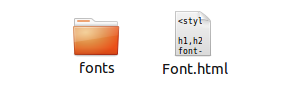
The Syntax:
@font-face {
 font-family:font-name;
 src: url(folder-name/font);
}
The Explanation:
@font-face {
→ With this code we will define a new font-name and include the fonts that we have downloaded using src.
font-family:font-name;
→ Here any name can be assigned to the font.
src: url(folder-name/font
);
→ The location of the font (in this case the folder named fonts )
Lets change the fonts inside a div with id change
.
Here’s the div element with some text.
<div id=change>
    Apply new font on this text.
</div> Now to change the font of the text inside the div element with id change
, we’ll have to define the new fonts and use them with font-family property.
We’ll have to define the new font twice.
Once for IE and once for other CSS Browsers.
Suppose we downloaded the font Rockfont, then we will have two fonts.
One will have an extension TTF (rockfont.ttf) and the other EOT (rockfont.eot).
@font-face {
 font-family:rockfont;
 src: url(fonts/rockfont.eot); /* EOT file for IE */
}

@font-face {
 font-family:rockfont;
 src: url(fonts/rockfont.ttf); /* TTF file for CSS3 browsers */
}

#change{
 font-family:rockfont;
}
The Explanation
Line 1 & Line 6 › @font-face {
→ Used to define new font family.
Line 2 & Line 7 › font-family:rockfont;
→ Font name is assigned here (you can use any name here).
Line 3 › src: url(fonts/rockfont.eot
);
→ Location of the font file with respect to this html file.
→ Notice the extension eot
. This is for IE.
Line 8 › src: url(fonts/rockfont.ttf
);
→ Location of the font file with respect to this html file.
→ Notice the extension eot
. This is for all the browsers.
Line 11 › #change{ ;
→ The id of the div.
Line 12 › font-family:rockfont;
→ Newly Created font-family rockfont which is going to be assigned to the div with id change
.
→ All the text inside this div will have the same rockfont font.

Click here to download the Example File
No portion of these materials may be reproduced in any manner whatsoever, without the express written consent of Entheos. Any unauthorized use, sharing, reproduction or distribution of these materials by any means, electronic, mechanical, or otherwise is strictly prohibited.