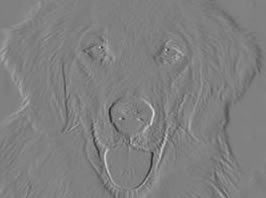
Learn how to emboss an image in a few steps using Photoshop CS.Step 1Open an image on your canvas by clicking on File>Open and selecting the image you want to
Read More
In this tutorial, you will learn how to create water reflection with ripple and lighting effects in Photoshop in 5 simple steps. BEFORE AFTERStep 1 : Open an image. Place it
Read More
Learn how to create a torn edge effect for photographs in PhotoshopOpen the image that you would like to create this effect on, by clicking on File/Open and choosing the image.
Read More
In this tutorial you will learn how to create a pop art effect like the well known Marilyn Monroe artwork. BEFORE AFTERStep 1 : Open an image. Resize it so that
Read More
Learn to give a through-a-crystal-ball effect in Photoshop. This effect looks great on images!The Spherize filter gives objects a 3D effect by wrapping a selection around a spherical shape, distorting
Read More
In this tutorial you will learn how to blur an image and blend text with an image using the overlay blend mode in Fireworks.Step 1 - Open any image of
Read More
This tutorial will teach you how to create a glow effect in Flash 8Flash 8 has 3 kinds of glow effects i.e. glow, knockout and inner glow . You will learn how to create
Read More
Create yummy chocolate text in Fireworks!For those of you who wish to have chocolate text on your banner! This effect is quite simple to learn. You can also get
Read More
This tutorial will teach you how to create a simple Ripple effect in Flash MX 2004. The .fla file also included at the end of the tutorial.Please note:1. You need
Read More
Learn how to get smooth and soft edges when cutting a picture/image in Fireworks Fireworks is a really great image editing tool. You can edit pictures easily and play
Read More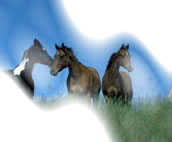
This tutorial demonstrates how to make use of the Command option to fade images in different ways, selecting different options. You can fade images vertically, horizontally, diagonally, radially, elliptically etc. You can
Read More
Learn how to give a stained glass effect to an image using Photoshop CS in just two steps.Step 1Open an image on your canvas by clicking on File>Open and select
Read More