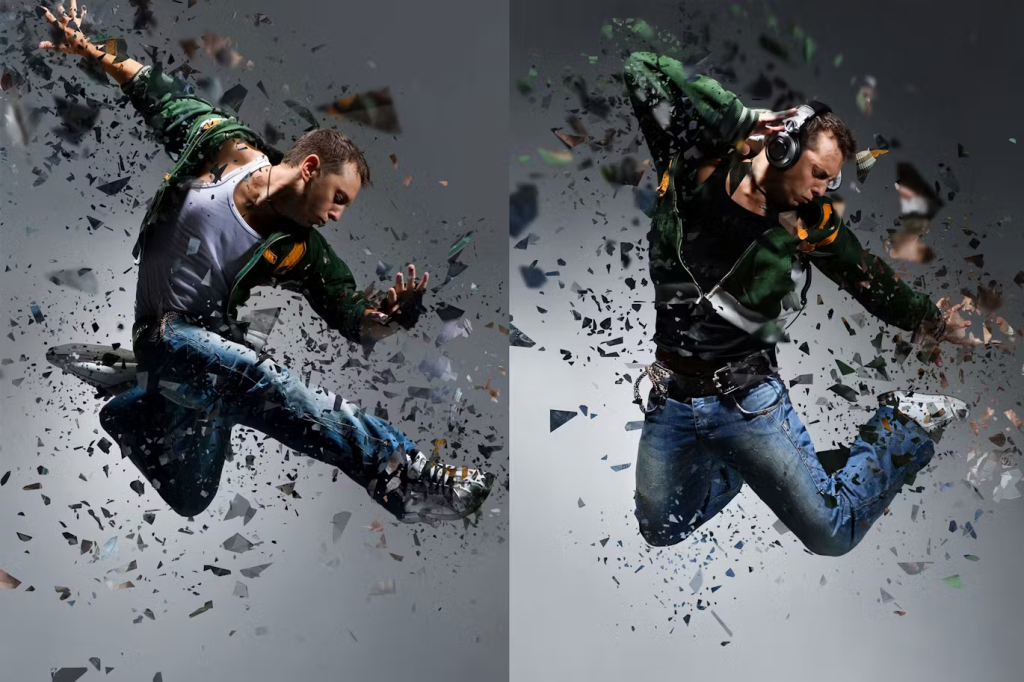
In this tutorial, you will learn how to create a shattered effect in Photoshop.

Program: Adobe Photoshop CS5
The following assets were used during the production of this tutorial.
Now we have everything we need so let’s start.
Step 1:- Create a new file with 1000px width and 2000px height.

Step 2:- Now create a new layer, for this click on Layer> new> Layer. Make sure you name your layers as we are going to use a lot of layers for this tutorial.

Step 3:- Now open the Model image and paste it on our file.

Step 4 – Let’s enhance the colors, so for this click on Image> Adjustments> Brightness/Contrast.

Step 5:- Now create a new layer and select our “Pen Tool”. Then create a path along the right leg.

Step 6:- Right click on the path and click on “Make Selection”.

Step 7:- Now select a hard round brush with # 070708, and use it on the selection.

Step 8:- Create a new layer and select one of the brushes mentioned above. Now select whatever color you like and use it on the selected area.

Step 9:- Now repeat the same process and roughly cover the selection with different brush strokes.

Step 10:- Now select another brush and use it with different colors over the right foot. Don’t forget to create a new layer for this.

Step 11:- Click on the “Eraser Tool” and select one of the dried splash brushes. Then use it on the layer above.

Step 12:- Create another layer and repeat the same process to create some more shattering effect.

Step 13:- Now we’ll do the same with the right elbow. So select the “Pen Tool” and create a path along it. Then right click on the path and select “Make selection”.

Step 14:-Select a Hard Round brush and use if on the selection, but make sure this time foreground color is # 302b32.

Step 15:- Now we’ll repeat the same process we did on the foot to create shattering effect.

Step 16:- Create another layer and select the ray brush mentioned in the assets. Keep the color # ffffff and use it on the sides.

Step 17:- Now change the foreground color to # ed1c24 and then use these on the left sides.
And now our shattering Photo manipulation is done. Hope you enjoyed the tutorial. If you like you can purchase a readymade shatter Photoshop action and create this stunning effect within minutes.